
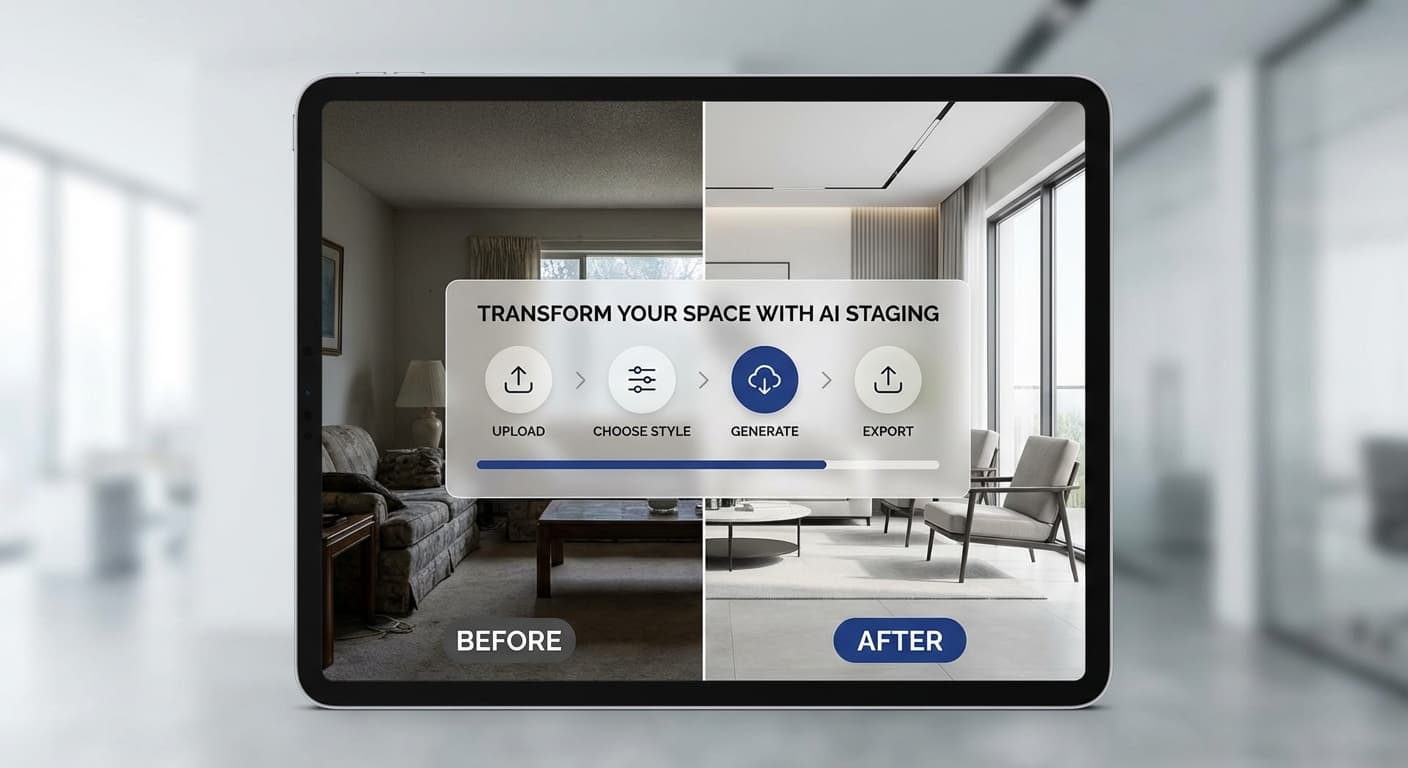
Why AI Virtual Staging is Now a Must-Have (DE/EU/US)
Buyers decide fast. If a room looks empty, dark, or outdated, they scroll past—especially on portals where your first photo competes with dozens of similar listings. Virtual home staging AI helps you present a furnished, cohesive lifestyle image without moving a single sofa. For agents, it means faster listing prep; for private sellers, it means better presentation without a full staging bill; for developers, it means marketing units before furniture or even before completion.
If you’re comparing approaches, start with the basics of what virtual staging is and how it works in practice: Realtor.com’s overview of virtual staging, plus a balanced pros/cons checklist from Zillow’s virtual staging tips. For EU readers, you’ll also find a German-language perspective helpful: Immowelt’s guide to virtuelles Home Staging.
AI Virtual Staging Guide: Step-by-Step Virtual Staging Workflow
This AI virtual staging guide is designed to be practical: you can follow it room-by-room, whether you’re staging a single condo in Berlin, a family home in Texas, or a multi-unit development in the EU.
Step 1: Choose the right rooms (and the right goal)


Start with the rooms that sell the story: living room, primary bedroom, kitchen (sometimes), and a key secondary space (home office, balcony, or dining). Decide your goal before generating anything: Are you trying to show scale in an empty room, modernize dated furniture, or create a premium look for higher perceived value? This decision will guide your prompts, style choice, and how many variations you export.
Step 2: Capture (or request) photos that AI can stage cleanly
AI staging quality depends heavily on the input photo. Ask for (or shoot) bright, level, wide-angle images with straight vertical lines. Avoid extreme fisheye distortion; it confuses object placement. If you work with photographers, send them a simple checklist so you get “AI-ready” files.
Step 3: Decide your staging approach (empty, occupied, or redesign)
There are three common approaches in a step by step virtual staging process: (1) furnishing empty rooms, (2) replacing/modernizing existing furniture, and (3) light redesign (colors, decor, sometimes flooring). Choose the least aggressive option that achieves your marketing goal—realism wins trust.
If you’re evaluating what’s acceptable on portals and what buyers expect, compare multiple industry viewpoints: Houzz on pros and cons, Redfin’s seller-focused tips, and Rightmove’s virtual staging tips (UK/EU context).
Step 4: Pick an AI tool (what to look for)


Not all AI tools for real estate staging behave the same. Some are prompt-heavy; others offer style presets; some preserve architecture better than others. Your selection criteria should match your business model: agents need speed and consistency; private sellers need simplicity and low cost; developers need scalable batch workflows and consistent style libraries.
To benchmark the market, scan roundups and tool pages such as Inman’s AI virtual staging tools overview, and compare established services like VirtualStaging.com and BoxBrownie virtual staging, plus AI-first platforms such as PadStyler AI virtual staging and region-focused providers like Spotless Agency virtual staging (EU markets).
Step 5: Upload, set constraints, and choose a style that matches your buyer
This is where most “AI-looking” results happen—because the style doesn’t match the property. A 1960s apartment in Munich often sells better with warm modern minimalism than ultra-luxury marble. A suburban US family home benefits from comfortable, practical furniture and clear walking paths. For developers, pick one style direction per project and keep it consistent across all units.
Step 6: Generate multiple variations (then select like a marketer)
Treat AI staging like ad creative: generate 3–6 variations per hero room, then pick the one that reads best in thumbnail size. The best image is usually the one with the clearest room function, balanced brightness, and the least visual noise. This is the core of a virtual staging tutorial mindset: iterate quickly, then publish only the strongest frames.
Step 7: Quality control (the 60-second realism audit)


Before you export, zoom in and check: furniture legs touching the floor, rug edges aligned, no melted objects, consistent shadows, and no blocked doors/heaters. In Germany and across the EU, trust and disclosure matter; in the US, MLS rules can vary by market. When in doubt, label images as virtually staged.
Step 8: Export for portals, brochures, and social (formats that work)
Export high-resolution images for portals and a second set optimized for social. Keep file names consistent (e.g., “LivingRoom_Staged_01”). If you publish before/after, ensure the angle is identical so the improvement is obvious.
Step 9: Publish with disclosure + listing strategy (agents, sellers, developers)
For virtual staging for sellers, the simplest strategy is: use 1–3 staged images early in the gallery to show potential, then include at least one original image of the same room later for transparency. For agents, align with your brokerage and MLS rules. For developers, keep a consistent “project look” across all marketing channels and clearly distinguish between staged renders and real photos.
For broader context on how AI is changing real estate workflows, see NAR on AI in real estate and market-level perspectives like Deloitte on AI in commercial real estate.
Cost-Effective Virtual Staging: What It Costs and When It Pays Off
A major reason AI staging real estate agents adopt AI is predictable pricing and speed. Physical staging can be powerful, but it’s harder to scale across many listings and often requires logistics, storage, and scheduling. AI staging is often the fastest route to “good enough to win the click,” especially for empty rooms.
If you want more third-party viewpoints on benefits, compare: Forbes on AI virtual staging benefits and a broader virtual staging overview from Realestate.com.au’s virtual staging guide.
Compliance & Ethics: Germany/EU/US Notes for AI in Home Staging
AI in marketing is moving quickly, and rules vary. In the EU, pay attention to evolving AI governance and business guidance: European Commission: AI topic hub and broader policy discussion from European Parliament: AI applications context. In Germany, you’ll also see local commentary on KI and property marketing, for example: Immobilien.de on KI im Immobilienmarkt and news coverage such as Bundesimmobilien.de on KI-basiertes virtuelles Staging.
YouTube: Watch a Step-by-Step AI Virtual Staging Tutorial
Step-by-Step AI Staging for Real Estate Agents
Prefer video? You can also compare beginner-friendly walkthroughs like AI Virtual Staging Tutorial for Beginners to see different workflows and quality checks.
Practical Templates: Prompts & Briefs That Produce Realistic Results
Even if your AI virtual staging software uses presets, you’ll often have a “notes” field. Use it like a staging brief. Keep instructions clear, realistic, and property-appropriate.
Common Mistakes (and How to Fix Them Fast)
Most failures in a virtual property staging guide come from over-staging or unrealistic choices. The fix is usually simple: reduce furniture count, choose a more neutral style, and regenerate with stricter constraints.
Next Step: Try HomestagingKI (2 Images Free) and Build Your Listing Set
If you want a fast way to test the workflow from this AI virtual staging guide, start with HomestagingKI’s free option and stage two images to validate quality, realism, and buyer fit. Then scale up only when you’re confident the style supports your pricing strategy and target audience.
Sources
- Virtual Staging: What It Is and How It Works (article)
- Virtual Staging for Real Estate: Pros, Cons, and Tips (guide)
- Top AI Virtual Staging Tools for Real Estate Agents (article)
- How AI is Transforming Real Estate Staging (news)
- Virtuelles Home Staging mit KI: Anleitung für Verkäufer (guide)
- AI Applications in EU Real Estate Market (news)
- AI in Real Estate - Statistics & Facts (study)
- Virtual Staging Tool for Properties (tool)
- AI-Powered Virtual Staging Platform (tool)
- Complete Guide to Virtual Staging (guide)
- The Benefits of AI Virtual Staging in Real Estate (article)
- Virtual Staging: Pros and Cons for Sellers (article)
- Virtual Staging Tips for Home Sellers (guide)
- EU Regulations on AI in Business Applications (study)
- KI im Immobilienmarkt: Virtuelles Staging (article)
- Emerging AI Trends in Real Estate (article)
- Virtual Staging Services and Tools (tool)
- AI's Impact on Real Estate: A Report (study)
- AI Virtual Staging for Property Developers (guide)
- AI in Commercial Real Estate: Staging Innovations (study)
- AI Virtual Staging for European Markets (tool)
- Virtual Staging Tips for UK and EU Sellers (guide)
- KI-basiertes Virtuelles Staging in Deutschland (news)